
Quick answer
Block the X app and x.com together, then lock the block so you can't reopen it the second something big happens. On Android, Sunnah Lock does that with a PIN and Lockdown Mode. On iPhone, Sunnah Lock blocks the app and the website, enforced by iOS itself. If you still want X for news, use a 15-minute daily limit instead of a full block.
X is different from the other apps on this list. It's not built on cute videos. It's built on arguments, breaking news and the feeling that something important is happening right now and you need to see it.
That feeling is exactly what one study measured. Here's what it found, and how to block X on Android and iPhone.
What X does to your mood
In 2024, researchers from the University of Toronto published a study in Communications Psychology. They didn't just ask people how X made them feel once. They checked in with 252 US X users five times a day for a whole week, which added up to 6,218 check-ins.1
The findings: using X was followed by lower well-being and more political polarization and outrage over the next 30 minutes. The effects were about as big as the effect social interactions have on well-being, which is not small.1
How you use it mattered. Passive scrolling went with lower well-being. Looking for information went with more outrage.1 People who opened X to escape problems or beat boredom came away with lower well-being and more boredom, and the most common feeling after scrolling was anger. As the lead researcher put it: "We couldn't find any positive effects on well-being."2
There was one upside in the data: a greater sense of belonging.1 Which is exactly why it's hard to leave.
Who is X a problem for?
Mostly adults. Teens have been drifting away: 17% of US teens say they use X, about half the share from a decade ago.3
If you check X first thing in the morning, if you open it during the news and feel worse after, or if you catch yourself arguing in your head with strangers, it's worth blocking. Even a few days away shows you how much of that tension came from the feed.
What X gives you built in
Here's the short version: we couldn't find a daily time limit or a take-a-break reminder in X. YouTube, TikTok, Instagram and Facebook all have at least a reminder. As far as we can tell, X has nothing inside the app to slow you down.
So any limit has to come from your phone, or from a blocker.
The loopholes that break most X blocks
x.com in the browser. Delete the app and X still works in Chrome or Safari, logged in and all.
"Just checking the news." Big events are when blocks get switched off. That's the moment you need a block that can't be.
The timer you set yourself. A phone timer you can edit in Settings loses to breaking news every time.
How to block X on Android
- Get Sunnah Lock from Google Play.
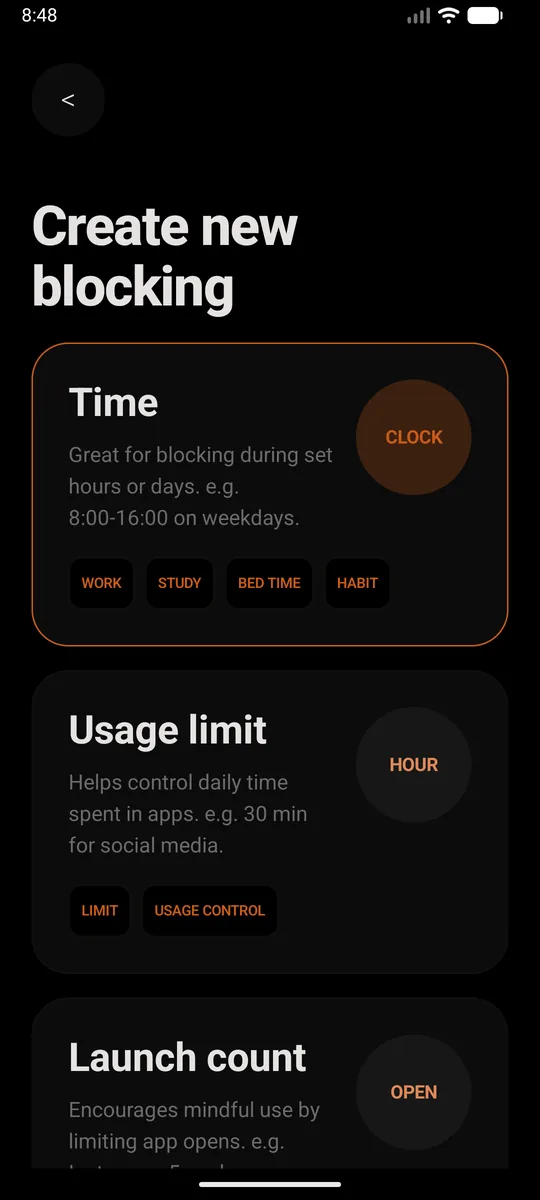
- Create a new block. Pick Time if you want X gone during set hours, like school nights or bedtime. Pick Usage limit if you'd rather allow a little each day, say 30 minutes. Or just set it to all day, every day.
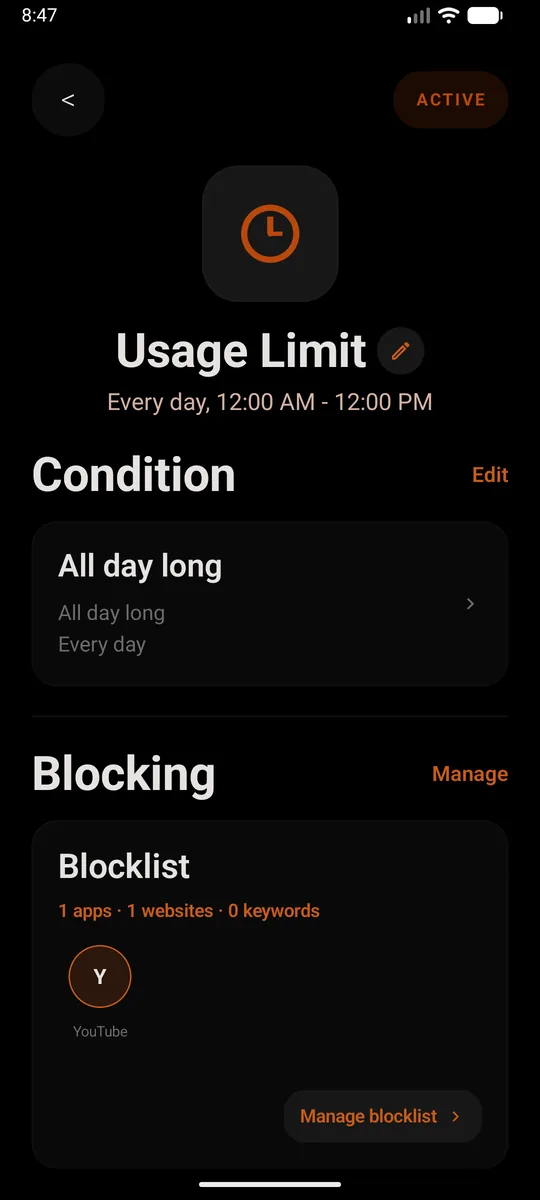
- Add X to the blocklist. Add the app, then add
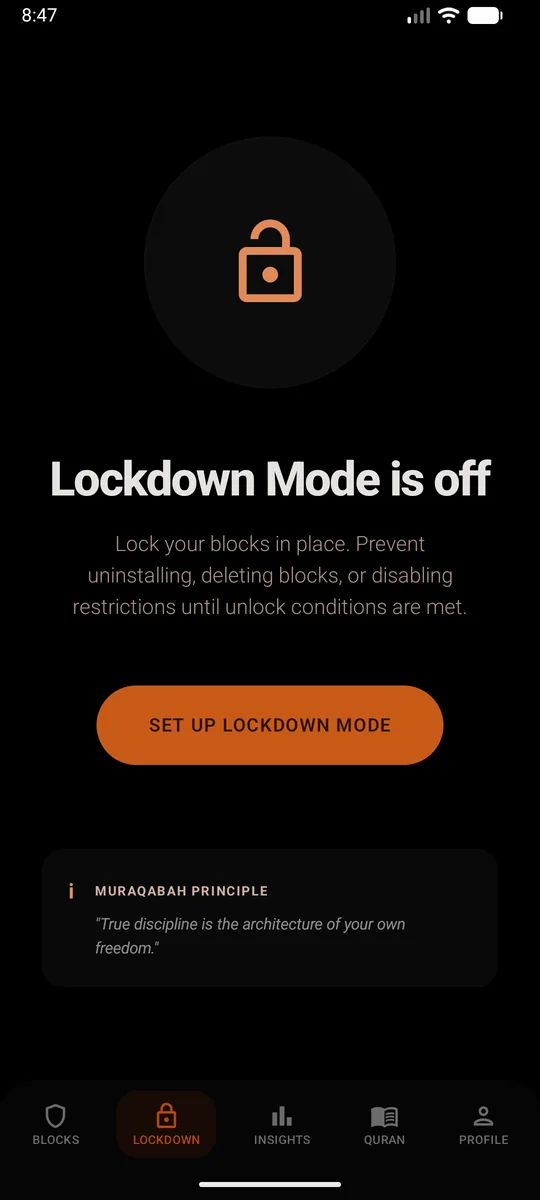
x.comas a website too. Skip that second part and the browser becomes the back door. From then on, opening X closes it straight away and shows a reminder instead. - Set a PIN and turn on Lockdown Mode. This is the bit that makes it stick. Lockdown Mode stops the block being deleted, the restrictions being switched off, or Sunnah Lock being uninstalled until your unlock conditions are met.
Without installing anything
Use Settings, Digital Wellbeing, App timers and set a timer on X. When time runs out, "the app closes and its icon dims."4 It's a start, but x.com in the browser stays wide open.
How to block X on iPhone
- Get Sunnah Lock from the App Store.
- Build a block. Start from a ready-made template like Night or Home, or build your own from scratch.
- Add X to it, and put
x.comon your website list. That covers the app and the site, so Safari doesn't turn into the back door. - Keep the adult content filter on. It's Apple's own filter, and the block is enforced by iOS itself, so it isn't a setting you can talk yourself out of at midnight.
Without installing anything
Screen Time can set a Time Allowance for X. When you hit it, "you can tap One More Minute or send a request for more time."5 One more minute on X is rarely one minute.
If you need X for work
Don't block it all day. Set a Usage limit of 15 to 20 minutes, or a Time block that keeps X closed until you've finished your first real task of the day. You keep the useful part and lose the morning spiral.
If Reddit is where the scroll goes next, see how to block Reddit.
Questions people ask
How do I block X (Twitter) on my phone?
Block the X app and x.com together, then lock the block. On Android, Sunnah Lock does both, with a PIN and Lockdown Mode so it can't be switched off in the moment. On iPhone, Sunnah Lock blocks the app and the website, enforced by iOS itself.
Does X have a screen time limit?
We couldn't find a built-in time limit or break reminder in X. To limit it, you need your phone's own tools, like Digital Wellbeing on Android or Screen Time on iPhone, or a blocker like Sunnah Lock.
Does using X make you feel worse?
A 2024 study in Communications Psychology checked in with 252 US X users five times a day for a week. Using X was followed by lower well-being and more outrage and polarization over the next 30 minutes. Passive scrolling was linked to lower well-being.
Should I block Twitter or just mute people?
Muting helps with specific accounts, but the feed keeps finding new things to show you. If you open X out of boredom or to avoid something, the study on X users found that pattern went with lower well-being. A time-based block fixes the habit, not just the accounts.
Can I use X for news without doomscrolling?
Set a Usage limit in Sunnah Lock, like 15 minutes a day, instead of a full block. You get the headlines and the app closes before the scroll takes over.
Is blocking x.com enough?
No. The app and the website are separate doors. Block both, or the one you left open becomes the new habit.
Make the block actually hold
On Android, Sunnah Lock blocks apps, websites and keywords, with PIN-protected settings and Lockdown Mode to keep it in place. On iPhone it blocks apps, websites and whole categories, enforced by iOS itself.
Block something else
Sources
- Twitter (X) use predicts substantial changes in well-being, polarization, sense of belonging, and outrage Communications Psychology, 2024
- X Marks the Rot: Social Media's Depressive Effects Research2Reality
- Teens, Social Media and Technology 2024 Pew Research Center, December 2024
- Manage how you spend time on your Android phone with Digital Wellbeing Android Help
- Family Sharing and parental controls overview for kids and teens Apple Support, September 2026