

Quick answer
Netflix has no time limit of its own, so the limit has to come from the phone. Block the Netflix app and netflix.com, or set them to close at bedtime, then lock it. On Android, Sunnah Lock does that with a PIN and Lockdown Mode. On iPhone, Sunnah Lock blocks the app and the website, enforced by iOS itself.
Nobody plans to watch four episodes. You plan to watch one. Then the next one starts in five seconds, and it's 1am.
Netflix isn't a feed like TikTok, but it has its own trick: it never asks whether you want to keep going. Here's what that costs, and how to block Netflix, or just the late-night part, on Android and iPhone.
How much Netflix are we watching?
Netflix's own report says members watched more than 97 billion hours in the first half of 2026, the highest total for any half-year so far.1
On kids' phones specifically, Common Sense Media tracked 203 US kids aged 11 to 17 for a week. About a quarter used Netflix on their phone. Most watched a few minutes a day there, but the heaviest user averaged more than seven and a half hours.2
Some of that is background noise. One 11th grader in the study said: "I know a lot of people who work with Netflix playing. They'll just have it playing either on their phone or on their computer, or they'll sleep to it."2
The real cost is sleep
For Netflix, the research that matters is about nights.
In a survey of 2,003 US adults, the American Academy of Sleep Medicine found 88% had lost sleep due to binge-watching. Among 18 to 44 year olds, it was 95%.3 That survey is from 2019, but anyone who's watched "one more episode" knows the pattern hasn't gone anywhere.
That's why a lot of people don't need to block Netflix at all. They need to block it after 10pm. The show is still there tomorrow, and so is the sleep you didn't lose.
What Netflix gives you built in
Netflix has proper parental controls, and they're worth using. From the Netflix Help Center, you can:4
- Lock your profile or other profiles with a PIN
- Require a PIN to add a new profile
- Set profile maturity ratings, or block specific titles
- Give kids a Netflix Kids profile
All of these control what gets watched. None of them control how long. There's no daily limit and no bedtime setting, so a kid on a perfectly safe Kids profile can still watch until 2am.
The loopholes that break most Netflix blocks
netflix.com. Block the app and Netflix still plays in the phone's browser.
Other screens. A TV, tablet or laptop with Netflix isn't covered by a phone block. Use locked profiles with a PIN on those.
Autoplay. The next episode starting on its own is how one becomes four. A bedtime block ends the night at the time you chose, not when the season ends.
How to block Netflix on Android
- Get Sunnah Lock from Google Play.
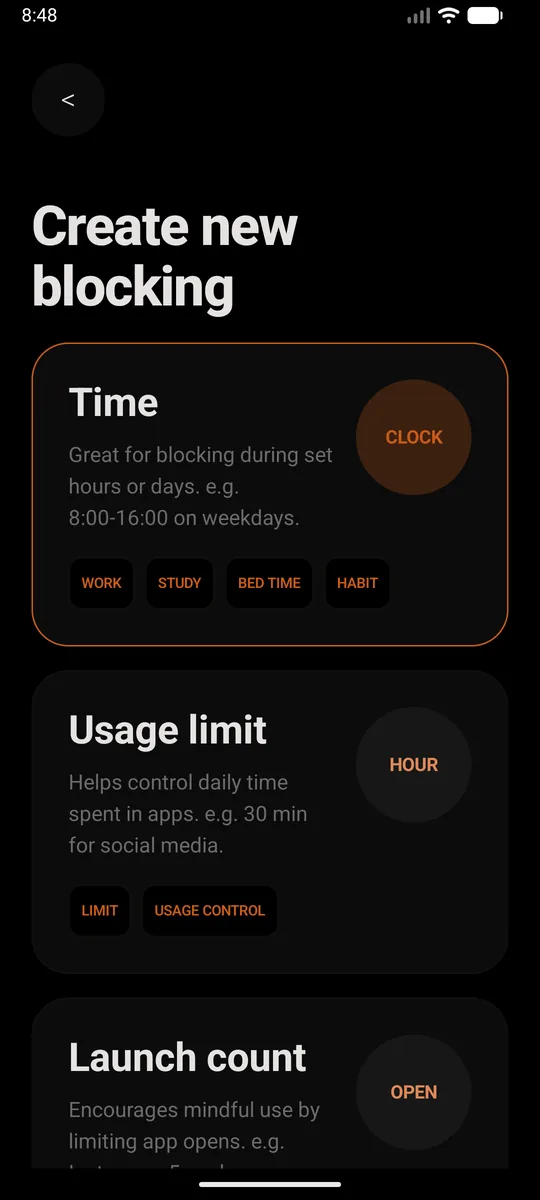
- Create a new block. Pick Time if you want Netflix gone during set hours, like school nights or bedtime. Pick Usage limit if you'd rather allow a little each day, say 30 minutes. Or just set it to all day, every day.
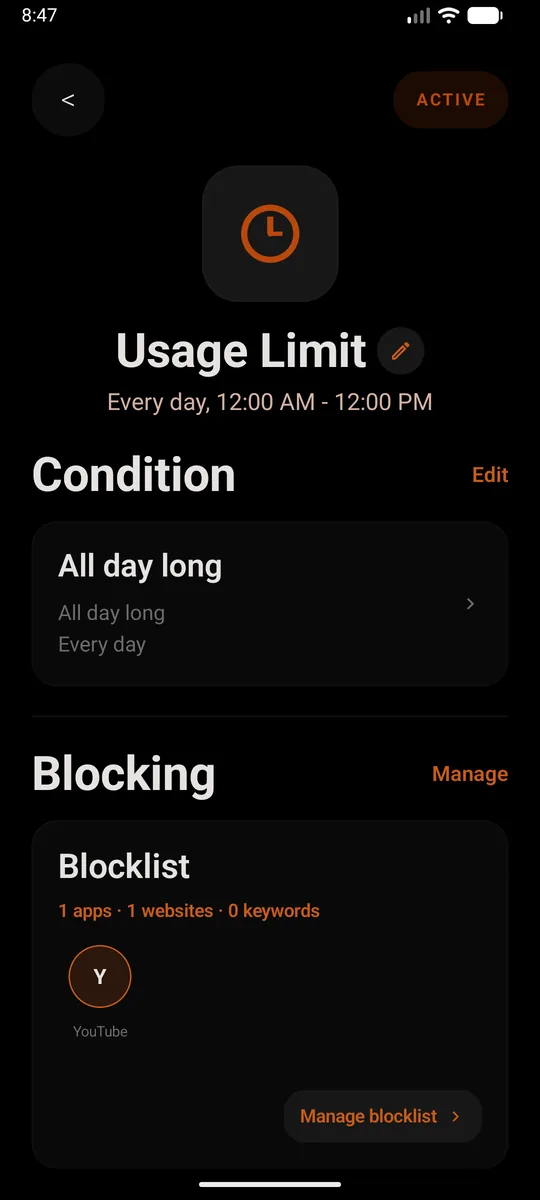
- Add Netflix to the blocklist. Add the app, then add
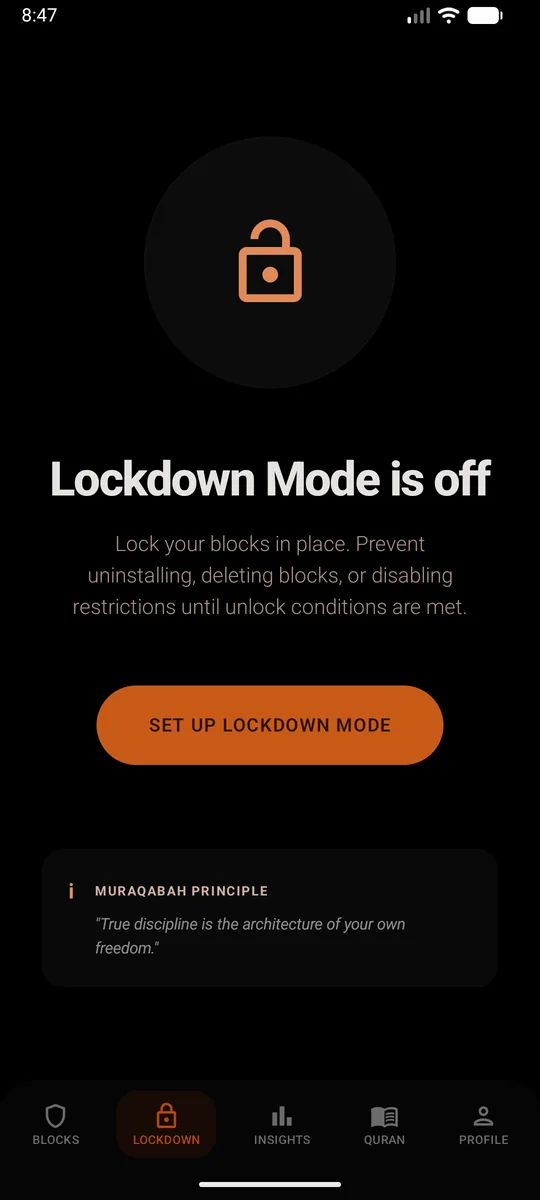
netflix.comas a website too. Skip that second part and the browser becomes the back door. From then on, opening Netflix closes it straight away and shows a reminder instead. - Set a PIN and turn on Lockdown Mode. This is the bit that makes it stick. Lockdown Mode stops the block being deleted, the restrictions being switched off, or Sunnah Lock being uninstalled until your unlock conditions are met.
Without installing anything
Go to Settings, Digital Wellbeing, App timers and set a timer on Netflix. When it's up, "the app closes and its icon dims."5 Handy, but a timer counts minutes across the day. It can't say "not after 10pm," and anyone holding the phone can change it.
How to block Netflix on iPhone
- Get Sunnah Lock from the App Store.
- Build a block. Start from a ready-made template like Night or Home, or build your own from scratch.
- Add Netflix to it, and put
netflix.comon your website list. That covers the app and the site, so Safari doesn't turn into the back door. - Keep the adult content filter on. It's Apple's own filter, and the block is enforced by iOS itself, so it isn't a setting you can talk yourself out of at midnight.
Without installing anything
Screen Time can set a Time Allowance for Netflix. When it runs out, "you can tap One More Minute or send a request for more time."6 Mid-episode, that minute always gets tapped.
The bedtime block
If you only do one thing, do this. In Sunnah Lock, create a Time block from 10pm to 7am with Netflix and netflix.com on the blocklist, then turn on Lockdown Mode. Netflix works all day. At 10pm, it closes. No negotiating with yourself, or with your teenager.
YouTube is the other app that tends to run all night. See how to block YouTube.
Questions people ask
How do I block Netflix on my phone?
Block the Netflix app and netflix.com together, then lock the block. On Android, Sunnah Lock does both, with a PIN and Lockdown Mode so the block can't be removed. On iPhone, Sunnah Lock blocks the app and the website, enforced by iOS itself.
Does Netflix have a time limit setting?
No. Netflix's parental controls cover what can be watched, not how long. You can lock a profile with a PIN, require a PIN to add a new profile, set maturity ratings, block specific titles and use a Kids profile. For time limits you need a blocker on the device.
How do I stop my kid watching Netflix at night?
Set a Time block in Sunnah Lock on your child's phone, for example from 9:30pm to 7am, and turn on Lockdown Mode with a PIN they don't know. Netflix stays available in the day and closes at bedtime.
Can I block certain shows on Netflix instead of the whole app?
Yes, inside Netflix. Its parental controls let you set a profile's maturity rating or block specific titles. That controls what your child sees, not how much time they spend watching.
Does binge-watching affect sleep?
In a 2019 survey of 2,003 US adults by the American Academy of Sleep Medicine, 88% said they had lost sleep due to binge-watching. Among 18 to 44 year olds it was 95%.
Does blocking Netflix on the phone block it on the TV?
No. A phone block covers the phone. The TV, a tablet or a laptop each need their own settings, like a locked Netflix profile with a PIN.
Make the block actually hold
On Android, Sunnah Lock blocks apps, websites and keywords, with PIN-protected settings and Lockdown Mode to keep it in place. On iPhone it blocks apps, websites and whole categories, enforced by iOS itself.
Block something else
Sources
- What We Watched the First Half of 2026 Netflix, July 2026
- Constant Companion: A Week in the Life of a Young Person's Smartphone Use Common Sense Media, 2023
- New survey: 88% of US adults lose sleep due to binge-watching American Academy of Sleep Medicine, November 2019
- Parental controls on Netflix Netflix Help Center
- Manage how you spend time on your Android phone with Digital Wellbeing Android Help
- Family Sharing and parental controls overview for kids and teens Apple Support, September 2026